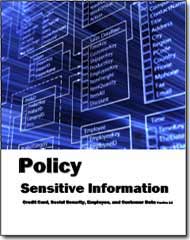
Sensitive Information Policy
HIPAA Audit Program Guide and a PCI Audit Program

Includes ElectronicSensitive Information Policy Compliance Agreement Form for Easy Depolyment of Policy
With identify theft and cyber attacks on the rise, you’re facing new pressures to protect sensitive information. In fact, in 46 states have now passed data security laws that apply to companies that do business with residents of those states. These laws are designed to protect residents against identity theft by mandating security practices
such as:
- Implementing an information security program
- Encrypting data
- Notifying customers in the event of a security breach that compromises unencrypted personal information
To protect sensitive information, many states are now required to implement security programs that include capabilities for incident monitoring and alerting, trend reporting, logging, security information management (SIM), and other prudent security controls and practices.
This policy is easily modified and defines how to treat Credit Card, Social Security, Employee, and Customer Data. The template is 34 pages in length and complies with Sarbanes Oxley Section 404, ISO 27000 (17799), and HIPAA. The electronic word form that is provided can be delivered electronically, completed via computer, and filed electronically. The PCI Audit Program that is included is an additional 50 plus pages in length.
The Massachusetts and California mandated requirements were specifically included as part of the policy.
This policy applies to the entire enterprise, its vendors, its suppliers (including outsourcers) , co-location providers, and facilities regardless of the methods used to store and retrieve sensitive information (e.g. online processing, outsourced to a third party, Internet, Intranet or swipe terminals).
The HIPAA Audit Program Guide provides you with a checklist of the must be implemented items which HIPAA mandates. (see also Nationalized ID)
You can download the Table of Contents and some sample pages by clicking on the link below.
The policy contains text that can be used immediately. For example::
General Policy Statement
The Chief Security Officer or delegate must approve all processing activities at ENTERPRISE associated with sensitive information. This information includes but is not limited to social security numbers, credit card numbers, credit card expiration dates, security codes, passwords, customer names, customer numbers, ENTERPRISE proprietary data, and any other data (i.e. California Personal ID number) that is deemed to be confidential by ENTERPRISE, its external auditors, any governmental agency, or other body that has jurisdiction over ENTERPRISE or its industry.
This policy applies to the entire enterprise, its vendors, its suppliers (including outsourcers) and co-location providers and facilities regardless of the methods used to store and retrieve sensitive information (e.g. online processing, outsourced to a third party, Internet, Intranet or swipe terminals).
All processing, storage and retrieval activities for sensitive information must maintain the strict access control standards and the Chief Security Officer mandates the these specific polices be followed.
Other Policies
The policies have just been updated to comply with all mandated requirements and include electronic forms that can be Emailed, filled out completely on the computer, routed and stored electronically -- a total solution.- CIO IT Infrastructure Policy Bundle (All of the policies below are included as individual MS Word files and a single PDF file. Electronic forms are all individual documents that are easily modifiable)
- Backup and Backup Retention Policy
- Blog and Personal Web Site Policy (Includes electronic Blog Compliance Agreement Form)
- BYOD Policy Template
(Includes electronic BYOD Access and Use Agreement Form) - Incident Communication Plan Policy (Updated to include social networks as a communication path)
- Internet, e-Mail, Social Networking, Mobile Device, Electronic Communications, and Record Retention Policy (Includes 5 electronic forms to aid in the quick deployment of this policy)
- Mobile Device Access and Use Policy
- Patch Management Policy
- Outsourcing Policy
- Record Management, Retention, and Destruction Policy
- Sensitive Information Policy (HIPAA Compliant and includes electronic Sensitive Information Policy Compliance Agreement Form)
- Service Level Agreement (SLA) Policy Template with Metrics
- Social Networking Policy (includes electronic form)
- Telecommuting Policy (includes 3 electronic forms to help to effectively manage work at home staff)
- Travel and Off-Site Meeting Policy
- IT Infrastructure Electronic Forms

Note: Look at the Practical Guide for Outsourcing over 110 page document for a more extensive process for outsourcing
Current Information Technology News
Security Tip of the Week
May 14th, 2013
While using wireless hotspots, limit activity to Web surfing only. A hotspot is an open wireless network that is available (open) to everyone. An example would be the wireless network at your favorite coffee shop. These networks hook computers into the public Internet -- handy but dangerous. Because wireless hotspots are for open use, they don't provide much protection for your data. When using a wireless hotspot try to limit activity to web surfing only.
You should also disable peer-to-peer networking, file sharing, and remote access. Always use a good personal firewall and of course make sure all your software including your operating system (like Windows) is up to date and patched. You should never use hotspots for online banking, bill paying, or for making purchases that require you to give out confidential information such as a credit card number.
Other Redings- more info
- Fraud is on the rise CIOs need to address fraud issues with better security For the last three years it has been reported that estimated fraud losses that are doubling...
- Cyber war breaks out slows Internet Cyber war pushes need for more security The recent cyber war between Spamhaus and Cyberbunker with commercial Denial of Service Attack (DDoS) pushed the Internet...
- CIOs are not conducting cloud computing risk assessments CIOs are not conducting cloud computing risk assessments A new survey by Protiviti has found that cyber security tops chief information officers concerns, with 84...
- Many CIOs have not addressed cloud security issues Less than 50% of all organizations have policies in place that for vetting cloud computing applications for possible security risks before deploying them. The number...
- Email Spam Reporting Policy E-mail Spam Reporting Policy Note: Of course legitimate, individually-sent employment, business and personal inquiries are not considered spam. Below is a sample of a letter...
CMoO focus on Mobile Workers
May 10th, 2013 CIOs are focusing on the mobile worker. The role of CMoO (Chief Mobility Officer) The executives, engineers, and sales representatives that are on the move are often responsible for bringing in new revenue and dealing with the customer in times of crisis. As such, it's essential that these employees have fast access to any and all of the corporate resources that are available to employees at the office.
The introduction of a mobile user use case adds a number of requirements for any proposed application solution:
- Does the mobile solution provide the same level of functionality to mobile workers as available in branch offices?
- Is the solution architected so that the mobile user connects directly to the existing appliance solution?
- Can the application support potentially thousands of mobile workers effectively?
- Does the mobile software use the same code base and functionality as the primary solution?
IT-empowered mobile workers can also enable new and innovative work arrangements within an organization. For example, businesses that are hoping to expand to a new region often want to hire professionals in that region. At first, however, those professionals might not have enough work to occupy them and justify the expenses required to get regional business opportunities moving. With a mobile solution, both the cost and revenue side of the business can benefit. The office can be set up with virtually no infrastructure since a mobile worker simply needs a laptop with application software installed to be up and running. That dramatically reduces the necessary up-front investment in IT. Once in place, the workers can source work from other offices, collaborating in real time with colleagues on projects in other parts of the world.
- more info
Productivity news and trends summary
May 2nd, 2013
Productivity news and trends summary
- more info
Disaster Recovery Recap
April 22nd, 2013
- more info
Disaster Hits - All Computers are Down at AA
April 16th, 2013
Disasters can also be computer generated as they were for American Airlines when grounded all its flights across the U.S. on April 14, after an unidentified computer problem hit its reservation system.
AA used Twitter to post "We are now in a system-wide ground delay until 4:00pm CT as we work to resolve this issue. We apologize for any inconvenience."
The problem was causing "intermittent outages" to its reservation system, the airline said. More details were not immediately available.
American said it would offer travelers impacted by the problem refunds or itinerary changes at no charge, but was unable to modify Tuesday reservations until the problems were solved. In March the airline carried an average of 313,000 passengers worldwide on its network per day.
The airline first posted that its system was offline shortly after 11 a.m. Central Time (16:00 GMT).
- more info
CIOs stop hiring
April 9th, 2013
Hiring for information technology workers stalled in March, according to a report by Janco Associates. Companies were reluctant to hire in an uncertain economy, and also were discouraged by the financial impacts of the sequester, tax considerations and the cost of health insurance for new employees.
Janco's says, "For the first time since the dot com bust Janco's metrics show that hiring by CIOs is at a standstill there is a high degree of uncertainty in the economic climate "
- more info
Security issues that CIOs need to manage
March 29th, 2013
Security is a critical issues as related in several posts:
- more info
Security is a concern of CIOs with the increase in use of mobile devices
March 12th, 2013
By definition, mobile devices are extending beyond corporate physical security controls and data on devices or transmitted over public Wi-Fi networks is at risk. Security is a key concern for CIOs as they begin to implement mobile device solutions. Over two thirds of all CIO, according to Janco Associates, Inc. , feel that security of mobile devices is the largest risk to deal with when building a mobility strategy.
Lost or stolen devices are the most common type of mobile security incident today. How many times have we heard in the media that an employee of a hardware vendor loses a device in a bar or cab before it is released? Add to this, unauthorized applications or malware targeted at mobile devices that do put corporate systems at risk.
- more info
5 skills that Disaster Recovery Business Continuity Pros Need to Have
February 19th, 2013
Disaster Recovery Business Continuity skills Recent disasters, like Sandy, have showed that business continuity professionals can offer a great amount of assistance to their companies during a disaster if they have certain basic skills. Those skills include: Situational awareness: They Continue reading the post 5 skills that Disaster Recovery Business Continuity Pros Need to Have
- more info
- 8 Characteristics of a Good Disaster Recovery Manager 8 Characteristics of a Good Disaster Recovery Manager The characteristics of a good disaster recovery manager and leader in a crisis like a recovery process...
- 10 Characteristics of a Good Business Continuity / Disaster Plan 10 Characteristics of a Good Business Continuity / Disaster Plan Most organizations have a Business Continuity / Disaster Recovery plan but how can you recognize...
- Top 10 Reasons Why Disaster Recovery Business Continuity Plans Fail In the recession many organizations put disaster recovery and business continuity on the back burner. As a result those plans are not as functional as...
- 10 Backup Best Practices supplementing a disaster recovery and business continuity solution with the cloud 10 Backup best practices - supplementing a disaster recovery and business continuity back-up solution with the cloud Backup best practices are used by many CIOs...
- Disaster Recovery and Business Continuity Top 10 Disaster Recovery and business continuity are all about being ready for everything. The question that every IT manager and CIO has to answer every day...
High Availability - Key to CIOs success
February 11th, 2013
High Availability blog postings
- more info
- Restoration Point Objectives Defined Maximum Tolerable Period of Disruption CIOs, CSOs, BC Managers constantly will work to improve their restoration point objective (RPO) and also recovery time objectives (RTO)...
- High Availability Versus Disaster Recovery High Availability High Availability is when A machine that can immediately take over in case of a problem with the main machine with little down...
- Disaster Recovery High Risk Users Disaster Recovery High Risk Users There are three types of high risk users in disaster recovery and business continuity planning. They are: People who do...
- Best of Breed Disaster Recovery Business Continuity Best of Breed solutions for disaster recovery and business continuity has four key components: High Availability Best of breed requires service that have high...
- DRP BCP Best Practices Defined DRP BCP Best Practices Defined Here are some Disaster Recovery Business Continuity best practices Keep your primary backup disaster recovery business continuity data in...
1,509 mass layoff actions affected 137,839 workers
January 25th, 2013
In December, employers took 1,509 mass layoff actions involving 137,839 workers. Mass layoff events decreased by 240 from November, and associated initial claims decreased by 35,040. In 2012, annual totals for events and initial claims were at their lowest levels since 2007.
There is a narrow gap between the average pay of senior executives, midlevel managers and even IT staff. Considering the salaries some hot skills are commanding, that's not surprising. Money isn't necessarily the make-or-break issue in whether a worker leaves a job. Improving relationships between worker and boss, and more closely aligning the worker with the agency mission can "balance or even trump" the limits on monetary compensation. Companies clearly can't ignore worker satisfaction with their salaries - not only those highly skilled IT workers, but also their bosses can surely make a statement with their feet.
- more info
Data Center Consolidation Impacts DRP and BCP
January 16th, 2013
Disaster Recovery and Business Continuity planning are impacted by Data Center consolidation that centralizes productivity applications. As enterprises reduce the overall number of data centers, consolidating remote and branch office assets in the process Disaster Recovery and Business Continuity become more critical. According to an international research firm, 41% of large organizations have consolidated most IT assets in corporate data centers, while another 34% have consolidated some assets in corporate data centers.
While this has given IT greater operational control and lower costs, it also can lead to increased risk. Each remote site that accesses the centralized data center creates a potential point of failure. If the new centralized location were to fail, all the applications and services housed therein would be unavailable and its impact - as measured in lost productivity and revenue - could be far greater.
- more info
IT jobs market was mixed in 2012
December 15th, 2012
Janco Associates has found that the IT jobs market has seen its fair share of highs and lows over the last year. However, with technology becoming more important, the landscape is growing stronger and the most recent stats support this fact.
According to the latest numbers from the Bureau of Labor Statistics, the IT job market has grown by 8,700 jobs in November, which puts the total number of jobs created in the sector in the last 12 months at 59,400.
- more info
Security ComplianceResults: 80 for Security Compliance.
December 8th, 2012
Cyber security standard lauched
...Security techniques - Guidelines for Cybersecurity is also intended to protect computers when browsing. Janco's Security Template meets all of the defined requirements in the new standard. The leader of the working group that developed the standard said, "Devices and connected networks that support cyberspace have multiple owners ...from Janco Associates, Inc. - Nov 5, 2012 6:37 PMSandy shows that not being prepared can be fatal to an enterprise
...without covering compliance risks and without using compliance tools to mitigate risks. On the other hand, compliance management is a critical component of disaster Continue reading →The post Sandy shows that not being prepared can be fatal to an enterprise appeared first on IT Manager - CIO. Related posts: Disaster Recovery and Business Conti...from IT Manager - CIO - Nov 8, 2012 9:17 AMSandy shows that not being prepared can be fatal to an enterprise
...without covering compliance risks and without using compliance tools to mitigate risks. On the other hand, compliance management is a critical component of disaster Continue reading →The post Sandy shows that not being prepared can be fatal to an enterprise appeared first on IT Manager - CIO. Related posts: Disaster Recovery and Business Conti...from IT Manager - CIO - Nov 8, 2012 9:06 AMTop 10 Reasons Compliance of Business Continuity Fails
...business continuity compliance with ISO 22301 Compliance and business continuity management are closely inter-related ISO 22301 is just one of many standards. A companys disaster recovery and business continuity programs would be incomplete without covering Continue reading →The post Top 10 Reasons Compliance of Business Continuity Fails ap...from IT Manager - CIO - Oct 29, 2012 10:45 AM- more infoTop 10 Reasons Compliance of Business Continuity Fails
...business continuity compliance with ISO 22301 Compliance and business continuity management are closely inter-related ISO 22301 is just one of many standards. A companys disaster recovery and business continuity programs would be incomplete without covering Continue reading →The post Top 10 Reasons Compliance of Business Continuity Fails ap...from IT Manager - CIO - Oct 29, 2012 11:12 AM
10 point flood disaster planning checklist
December 1st, 2012
A practical checklist to help firms minimise the impact of a natural disaster and protect their important information assets:
- Validate your employee and top customer contact lists are up to date.
- Monitor the weather: check the national maps and flood warnings to find out how vulnerable you are.
- Create a plan for communicating with employees in the event of a business disruption, bearing in mind that your phones or IT network could be down and your office inaccessible. Rehearse the plan, and have a back-up in case it does not work on the day.
- Create a plan for communicating with your top customers. You are unlikely to have time to call everyone so focus on those most critical to your business, with a website or voicemail update for the rest.
- Store your information archives in secure facilities away from flood plains. Your office may not be the safest place to keep business critical records and data. Host your services and systems off-site or in the cloud, so that they are protected if the business is affected by natural disaster. Plans should also be made to relocate important paper documents as this format is sometimes forgotten from IT-centric business continuity plans, but is equally vulnerable should flooding occur.
- Validate the protection of your historical archives -storing physical and digital data offsite ensures that business activity can continue in the event of a disaster. Information is the most important asset to any business and shouldn't be under any unnecessary risk.
- Equip employees to work from home - and aim to do this before a crisis so that you can get the necessary equipment, security and processes in place. If undertaken as an ad hoc emergency response, you run the risk of employees relying on insecure personal IT to handle confidential or sensitive information.
- Ensure your business remains compliant. For example, it is essential to keep corporate email systems going, or to get them up and running again as soon as possible, so that employees are not communicating or transacting business via non-compliant personal email accounts.
- Audit your suppliers' and vendors' plans.
- Rehearse and test every aspect of your plan, understand what could disrupt it and create a back-up plan.
These are the related entries for this entry. Updating this post may change these related posts.
- more info
- 10 point checklist for disaster recovery
- 10 steps to cloud disaster recovery planning
- Business Continuity Planning for Survival Under Stress
- 10 Disaster Recovery Lessons Learned
- 10 Backup Best Practices supplementing a disaster recovery and business continuity solution with the cloud
Disaster Planning is a necessity
November 23rd, 2012
Business continuity planning is one of the most crucial factors that all businesses today must take into account in order to duck out from any uncalled for or disastrous chain of events without experiencing too many cuts and bruises.
In simple, the benefits of business continuity planning determines an organizations ability to shrug off even the worst of setbacks and go about its usual businesses it had already planned. According to a research, 4 out of 10 organizations around the world today take less than half a decade to recover and get over a disaster that almost shattered their businesses and the study also emphasized on the point that without a proper continuity planning, none of these organizations would have achieved what they achieved.
So, it can be said that business continuity planning is not a luxury, it's rather a necessity to prevent any setback from getting the better of you.
Data center and information systems infrastructure are the backbone enabler's of most companies critical business processes. When organizations experience a major disaster or disruption, ensuring operational continuity for critical business processes requires that IT and electronic data be recovered in a timely manner.
- more info
How to Implement IT Security
November 6th, 2012
It is the CIO's and CISO's job to identify and present the risks the business may face, but its up to the board of directors to make the final decision on the acceptable level of risks. Security decisions should be made taking into consideration all relevant business, economic, organization and technology issues. Factors that could influence the decision-making process include:
- Economic - the financial risk exposure of a given techinical process or application. IT spending is an investment with real potential benefits, as well as real security risks.
- Organizational - prior experience with making similar decisions; background knowledge about security in the company; internally established standards; maturity of existing security management processes.
- Technology - existence of known technical vulnerabilities and risks in the technology stack.
- Business - relate to the security knowledge and awareness of C-level executives and board members. It is impossible to make meaningful decisions if they dont realize how security issues may occur at each enterprise level.
- more infoSecurity Manual - Comprehensive, Detailed, and Customizable
The Security Manual is over 240 pages in length. All versions of the Security Manual Template include both the Business IT Impact Questionnaire and the Threat Vulnerability Assessment Tool (they were redesigned to address Sarbanes Oxley compliance).
In addition, the Security Manual Template PREMIUM Edition contains 16 detail job descriptions that apply specifically to security and Sarbanes Oxley, ISO security domains, ISO 27000 (ISO27001 and ISO27002), PCI-DSS, HIPAA, FIPS 199, and CobiT.
Data Security and Protection are a priority and this template is a must have tool for every CIO and IT department. Over 3,000 enterprise worldwide have acquired this tool and it is viewed by many as the Industry Standard for Security Management and Security Compliance.
Related posts:
- Top 10 Things a CIO Needs to Add Value Top 10 for CIOs -What does the CIO have to do to be viewed as a business person versus a technologist? There are many strategies...
- Compliance requirements drive security Policy and Procedure Manual Compliance Management Made Easy ISO 27000 / HIPAA / SOX / CobiT Compliant Includes PCI DSS Audit Program Security incidents...
- Top 10 CIO Productivity and Budgeting Issues CIO Productivity Kit The best companies, and their CIOs, recognize the importance of ready access to the right information to drive the right choices...
- 5 Corporate Compliance Errors Executives Are Making 5 Corporate Compliance Errors many executives are making Compliance is never easy and even the best make mistakes on occasion. But we can learn from...
- Google data center security & disaster recovery This is a great video on physical security as well as the the software security. This is a great primer which all CIOs and Data...
BYOD action steps
October 29th, 2012
The growing number of workers who use personally-owned mobile devices on the job has drastically affected the corporate landscape in recent years. This phenomenon poses plenty of security risks and regulatory problems as more devices slip beyond ITs control. How can you effectively manage this growing trend?
This BYOD Policy template provides a structure for the Bring Your Own Device (or BYOD) trend in the workplace and outlines measures that you can take to take to stay secure in implementing BYOD. Issues addressed:
- How BYOD reflects the needs of employees
- The pros and cons of embracing BYOD in your workplace
- Policies you can implement to get the most out of BYOD
Related Topics:
- more info
BYOD Policy- Bring Your Own Device - BYOD and the ever increasing mandated requirements for record retention and security CIO are challenged to manage in an ever more complex and chan... A Secure BYOD Policy at MasterCard? Priceless - MasterCard Worldwide is a year into its BYOD policy and the program is growing strong while the company keeps a watchful eye on security BYOD a reality that all CIOs need to address in order to implement Best Practices - Before the CIO and enterprise can start the process of implementing BYOD policies they needs to ensure that what is created meets the an enterpris... Janco Forecasts Over 90% of All Corporations Will Allow BYOD - As the budgeting cycle begins many CIO are including BYOD implementation, training, and compliance in their budget BYOD Security Dilemma - BYOD is the situation where employees are allowed to 'bring your own device' to work and IT will allow it to access the corporate network, also kn...
5 keys to rapaid data center recovery
October 15th, 2012
There are 5 steps that CIO can take to ensure timely recovery from disasters that impact data centers:
- Instantiation. Architecture and design of an IT environment to which production information can be continuously replicated.
- Replication. Ongoing transmission of key transactional data in an encrypted manner to the replicated environment.
- Configuration. Identification of the resources to be stood up in the replicated environment should disaster strike.
- Restoration. Just like the human body has a natural sequence to being restored to life, there is a well-defined sequence in which the replicated environment is restored.
- Communication. What the business users are waiting for -- the system is up! a message delivered through unified communications.
Disasters Happen -- Business Continuity Disaster Recovery
How do you balance the business continuity disaster recovery risk and investment equation? Is the potential risk greater than the investment? The facts are:
- more info
- 43% of companies experiencing disasters never reopen, and 29% close within two years.
- 93% of businesses that lost their data center for10 days went bankrupt within one year.
- 40% of all companies that experience a major disaster will go out of business if they cannot gain access to their data within 24 hours.
The Benefits of Remote Employees
October 8th, 2012
Disaster Recovery Business Continuity Planning -- Challenges for Remote Office Locations
Advances in collaboration and communication technology in recent years have made sharing documents, video conferencing/desktop-sharing and instant messaging second nature to most people who work in the IT market.
In a recent Harvard Business Review Blog postion they argue that remote employees are more engaged and connected, and employers are really the ones benefitting from all this.
Employees who work remotely, of course, don't require a physical office and many times use most of their own hardware and software, says Perlman. It's also worth noting that, according to BLS statistics, remote employees work on average an hour longer each day than their brethren in the office, which can equate to almost six extra weeks of productivity over the course of the year.
- more info
Demand for continuity in the supply chain is growing
October 5th, 2012
Demand for continuity in the supply chain is growing
Customer demand for continuity and resilience is an irresistible force. This became clear when a client asked us to supply an automated tool to self-assess their thousands of suppliers. They now use it to manage contractual compliance in both information security and business continuity, providing low cost oversight and intervention. It collects detailed evidence along the way and automatically initiates periodic reviews. Crucially, it requires each supplier to provide assurance that covers their own supply chain, creating a cascade of sound practice.
Maturity is an important dimension of this. The survey tool specifically asks for evidence over time, cross-checking the depth of capability in each area, seeking commitment, certainty and permanence as part of your business proposition. This means you need a track record evidence that systematic investment takes place, that senior management is bought-in, and above all, that what youve built actually works and isnt outdated. This means you need a business continuity management system or process that continually monitors and improves your capability.
- more info
10 questions that need answers in an interview
September 19th, 2012
In the inerview process a uniform front is important.. Before you start recruitng you should have answers prepared for questions like the following:
- Are responsibilities for this job completely defined?
- How would you describe the someone who is successful in that role?
- What is it like working at the company?
- How are responsibilities defined within the team that this position is in?
- How would you describe a typical week/day in this position?
- Is this a new position? If not, why did the previous employee leave?
- Is travel expected?
- Is relocation a possibility?
- What is the typical work week like?
· Will there be overtime?
- more info
Disaster Recovery plans are impacted by backup of BYOD and other personal devices
September 1st, 2012
The average user keeps more than $400 worth of digital movies and music on their devices, not to mention important information folders. "People have priceless photographs, critical personal financial information and hundreds of dollars of digital media stored on their computer," says the CEO/chairman of Carbonite. "Most have experienced at least one major data loss disaster, yet are still not taking simple steps to protect the contents of their computer."
- more info
Outsourcing Off-Shore is Waning
August 10th, 2012
Off-shore outsourcing is no longer the in thing to do. More companies are now using the location of the help and service desks as a criteria in the selection process for IT services and equipment. HP, for example has its help desk in the Philippines where non-native English speakers provide level 1 support. They have seen a marked decline in customer satisfaction which in turn is impacting the number of companies that are selecting them as their primary vendor.
American Express fraud alert center is also located off-shore. Janco Associates has talked to a number of companies that now no longer issue American Express cards because that operation is off-shore.
- more info
Correcting Social Media Errors
July 22nd, 2012
What matters first with a social media mistake is responding quickly, being transparent and demonstrating sincerity -- all of which should follow a social gaffe committed in person and in public. Social media, though, introduces complications all its own: How you've been using it all along will also affect your ability to clean up after it.
This is why what comes after the mistake is just as important, if not more so: The chance to learn why it happened in the first place and do something about it. You may find better ways to use social media because of this. If you've been spammy or thoughtless, you need to own up to that. If your audience makes good points about your shortcomings (however badly they phrase them), you need to respond to those too.
Follow us at https://twitter.com/@itmanagercio
- more info